Find your game.
Book your court.
Join pickup games and tournaments near you, book turfs and courts with live slots, and follow every score as it happens. One free app for players.
- Free for players
- Pay hosts and venues by UPI
- Web, iPhone & Android
Players are already on the Grid, at the Kannada Rajyotsava Cup and the Gorkha Knockout Football Tournament.
Find a game near you 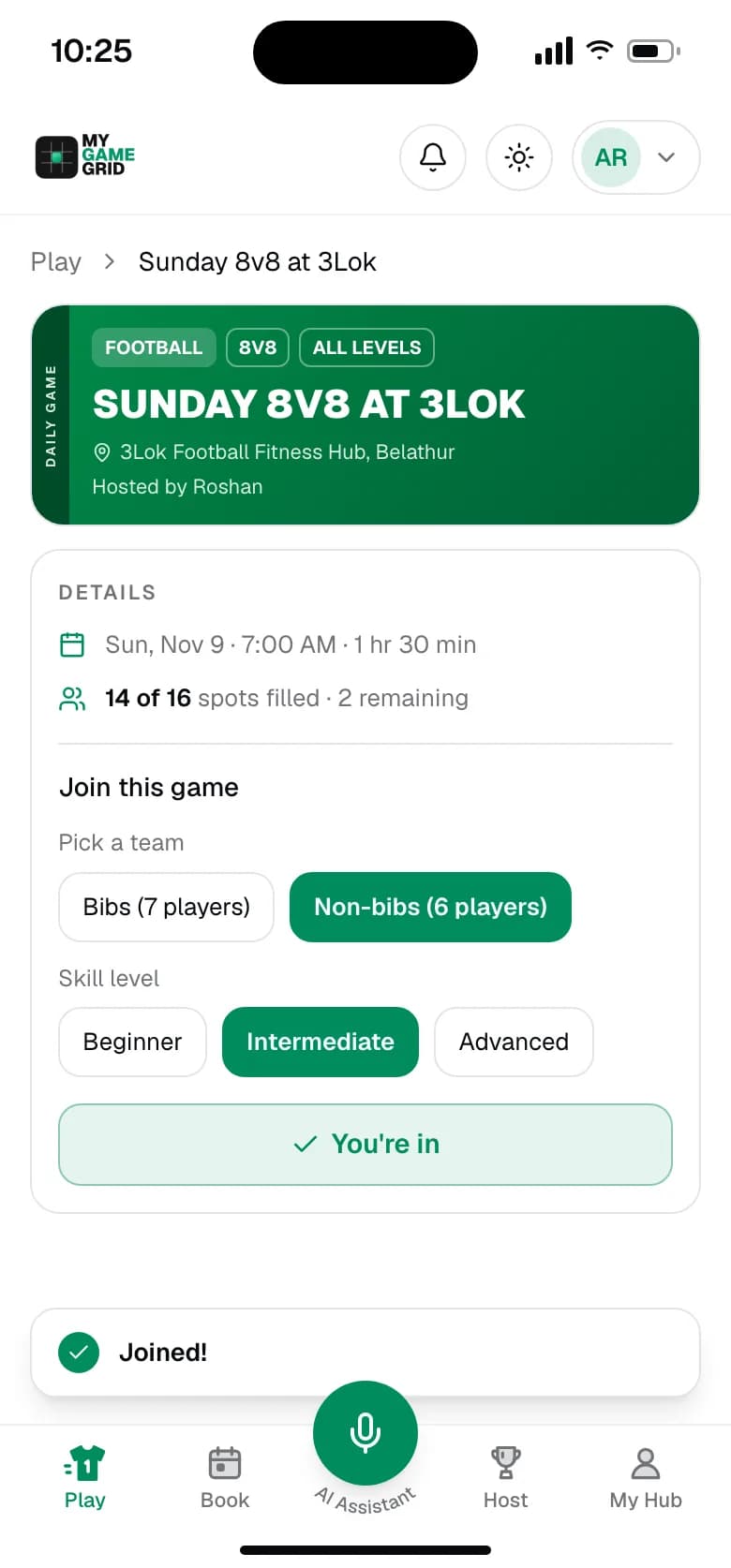
Join in a few taps 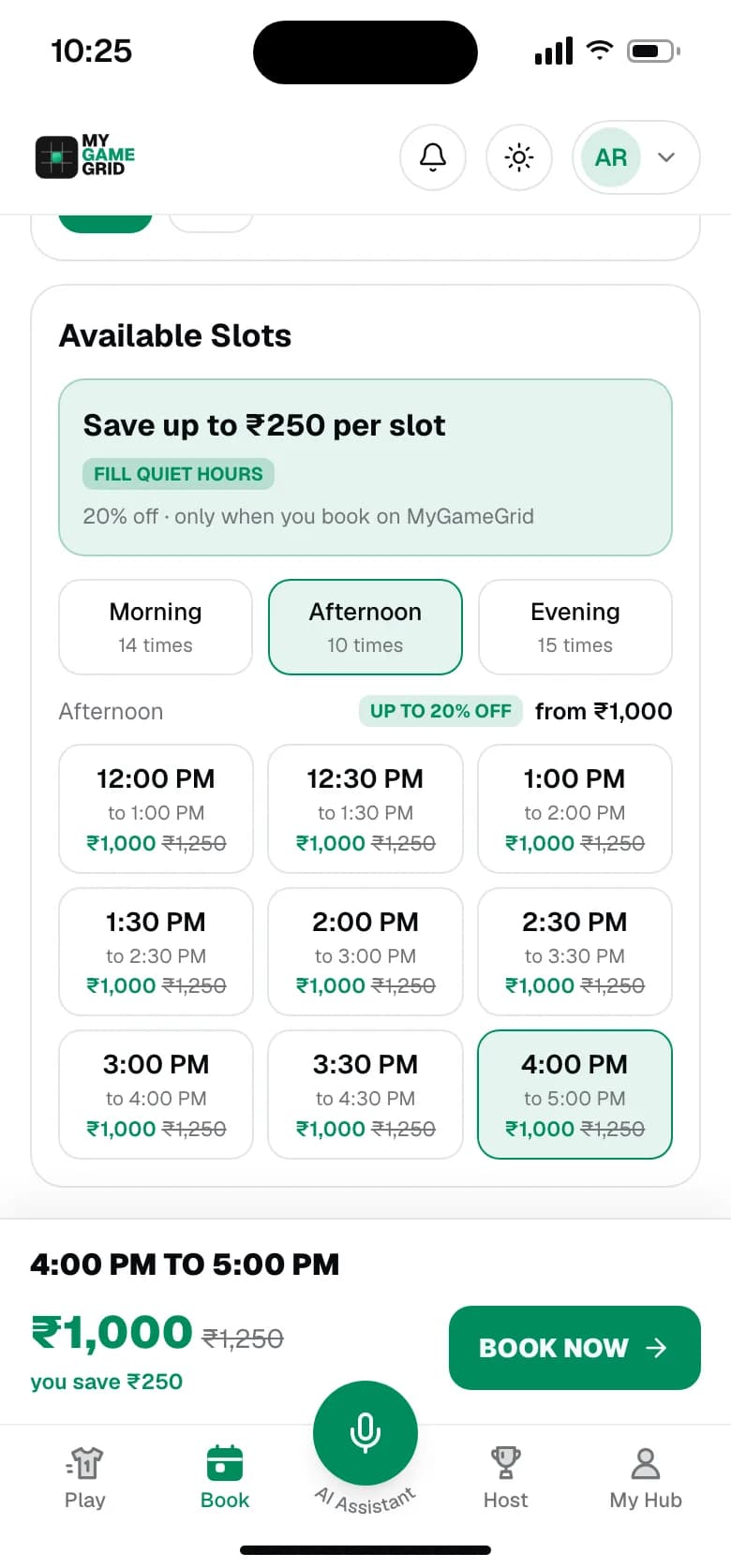
Book a court, see the price first 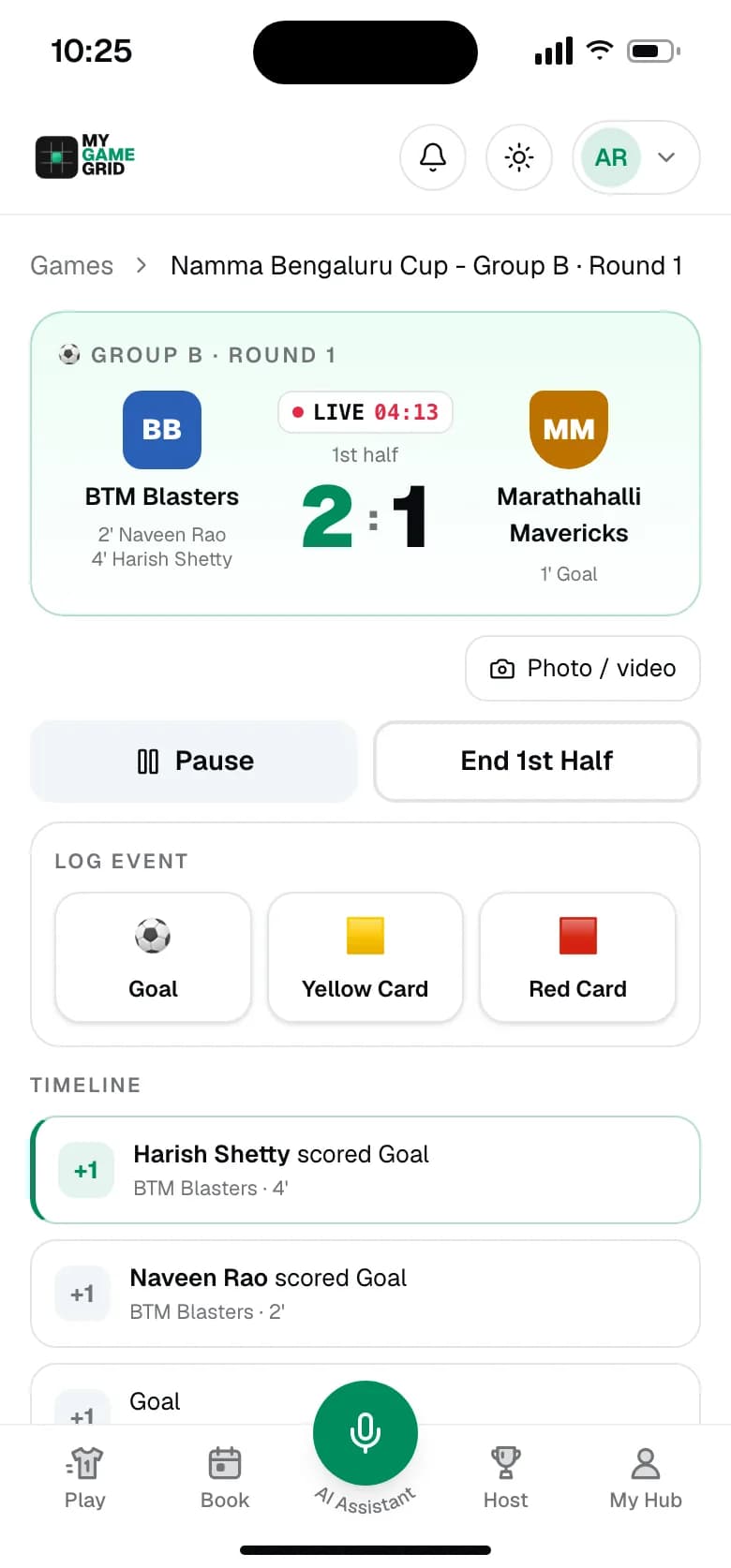
Follow the score live 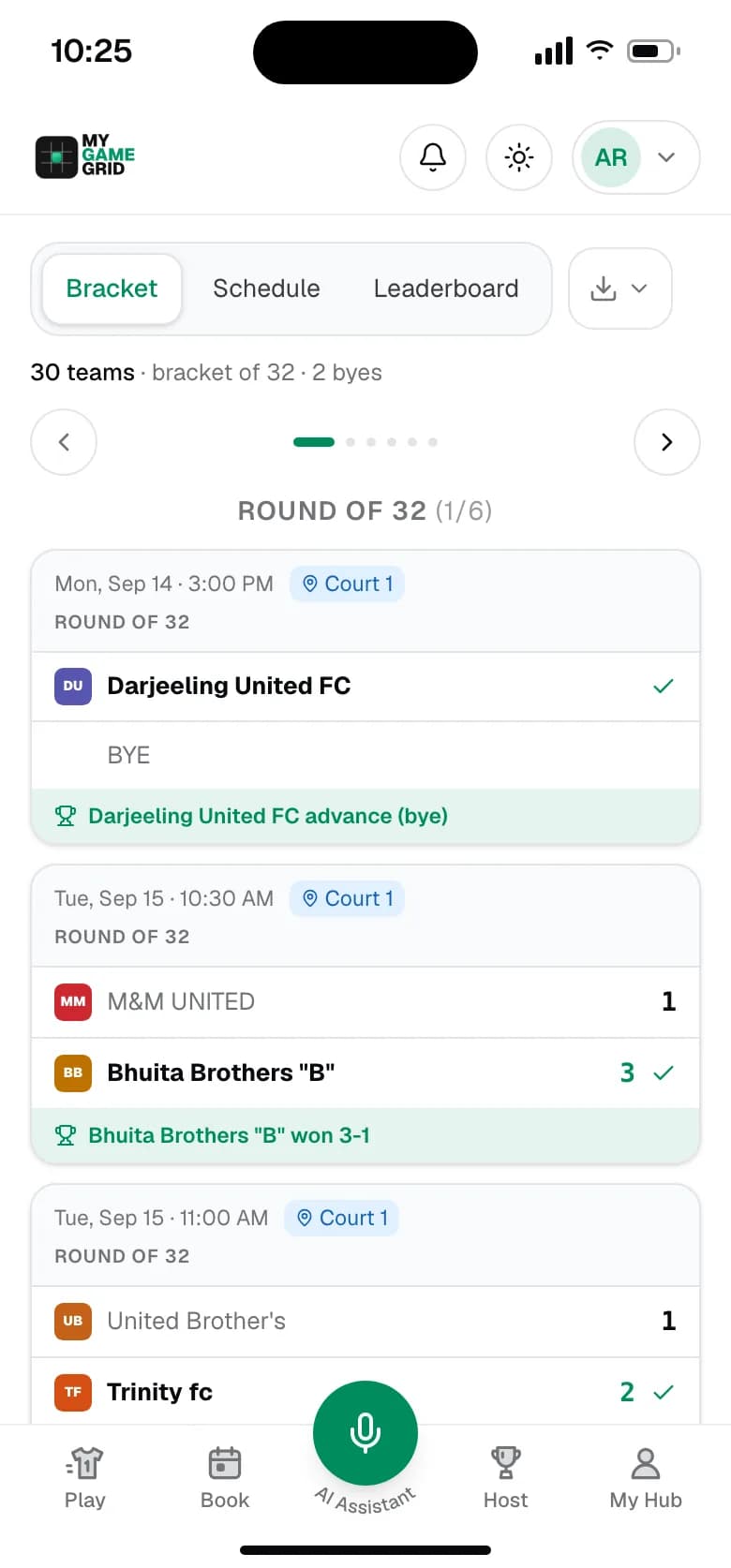
Every result in the bracket 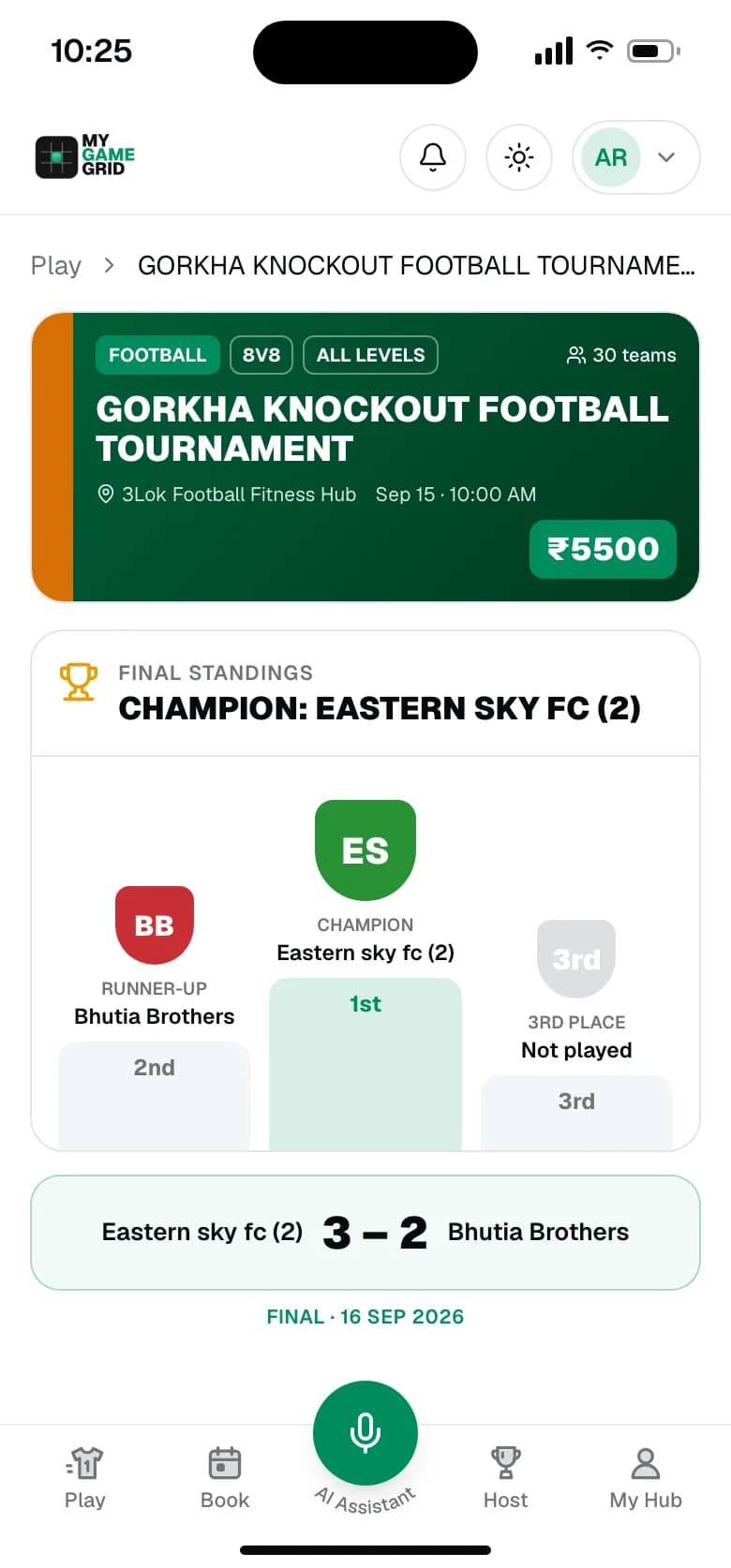
All the way to the podium
The pickup game and scorecard use sample teams.
Coming up
See all- Nov159:00 AM
MHFC x ARC WINTER CUP UNDER 16(5 a Side)
Minimum 2 league Matches 5 vs 5 format
- Ardee Racquet Club | ARC - GURUGRAM
- 5v5
- ₹3,000 per team
open12 teamsRegister - Nov159:00 AM
Ventrax League - U20
you have to pay a registration fee of rs500 to register your team and rest 2000 at the ground
- Nature Kicks
- 5v5
- ₹2,500 per team
open20 teamsRegister - Nov1510:00 AM
Sparta league
U22 5 mins per half
- Champions Sports Arena
- 5v5
- ₹2,500 per team
open32 teamsRegister





What you can do
Everything you need to get playing.
One free account for finding games, booking courts and following your tournaments.
- 01
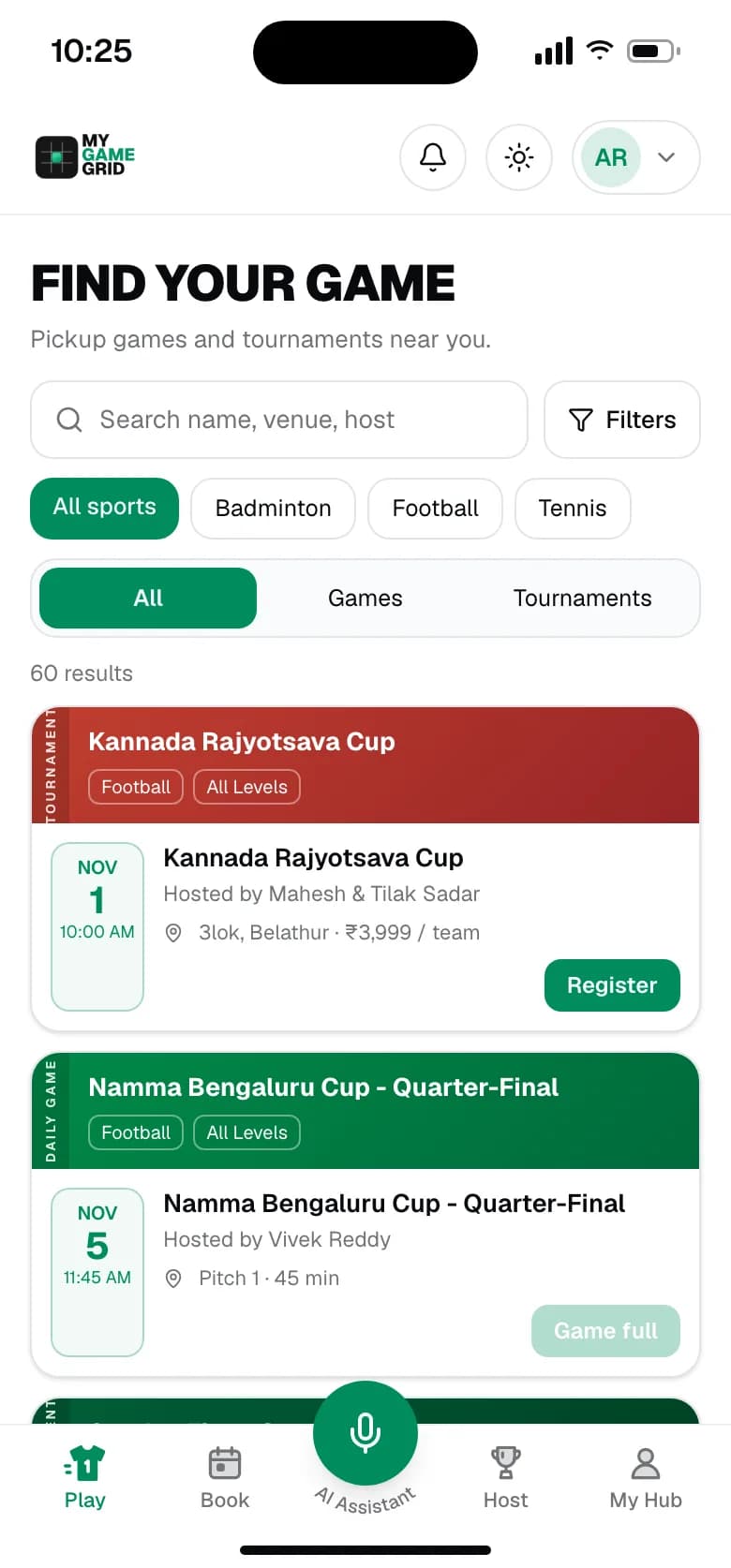
Find a game
Pickup games and tournaments near you, soonest first. Filter by sport, location and skill level, and see the fee and the spots left before you tap.
Browse games and tournaments - 02
Join in a few taps
Pick a team and your skill level, then tap Join. Open games take you straight in. Some hosts approve each player first, and paid games always do.
Find a pickup game - 03
Book a court
Live slots at turfs, courts and nets, with the price up front. Some venues offer lower prices only on MyGameGrid. Request a slot, the venue confirms, and you pay them directly.
Find a court - 04
Follow it live
Live scorecards, brackets and standings for every tournament, from the first match to the final. Anyone with the link can follow along.
See a finished tournament
Before and after
Less group chat. More game time.
- Finding a game
- Before: Asking around five WhatsApp groups for a spare spot.
- With MyGameGrid: Open games near you, with the fee and spots left on every card.
- Booking a court
- Before: Calling turfs one by one to ask what is free.
- With MyGameGrid: Live slots and prices for every court, requested in a minute.
- Paying
- Before: Cash at the counter, or a screenshot sent to someone you just met.
- With MyGameGrid: Pay the host or the venue directly by UPI. MyGameGrid takes no fee.
- Scores
- Before: Results lost in the group chat by Monday.
- With MyGameGrid: Live scorecards, brackets and standings anyone can open.
So far on MyGameGrid
- Games hosted
- 21
- Tournaments
- 15
- Sports
- 15+
Common questions
Is MyGameGrid free for players?
Yes. Finding games, joining, booking and following scores are free. You only pay a host's fee for a paid game or a venue's price for a court, directly to them.
Do I need to download an app?
No. It works in the browser on any phone or computer, and you can add it to your home screen on iPhone and Android. Joining a game or booking a court asks you to sign in with a free account.
How do I join a game?
Open it from Play, pick a team and your skill level, and tap Join. Depending on the game, you are in straight away or wait for the host to approve you. Paid games always need host approval.
How do I pay for a paid game?
After you join, pay the host by UPI and enter the reference ID. The host checks the payment and confirms your spot.
How does booking a court work?
Pick a venue, then a date, format and time, and tap Request to Book. The venue confirms your slot and you pay them directly. Some venues ask for an advance by UPI.
Can I enter a tournament with my team?
Yes. Open the tournament from Play and tap Register to enter your team. Once the host approves you, follow your fixtures, scores and standings on the tournament page.
Can I host my own game?
Yes, and it is free. Post a pickup game when you need players, or run a full tournament with brackets and live scores from the Host tab.
Your next game is on the Grid.
Find a game near you or book a court for tonight. Free for players.
Organizing a game? Host it free. Own a venue? List it on MyGameGrid.