
Reviewed by Turf & Community Captains
Learn how to host pickup football, badminton, and box cricket matches: format selection, smart team balancing, in-app UPI verification, and live scorecards.
Organizing weekend turf football, badminton sessions, or box cricket clashes sounds straightforward—until you're stuck managing endless WhatsApp polls, chasing six different people for UPI screenshots, and arriving at the venue with uneven squads.
Whether you're organizing a casual pickup game with friends or launching a recurring community sports league, here is how smart captains host, collect payments, and balance squads in 30 seconds on MyGameGrid.
1. Setting Up Your Match Overview
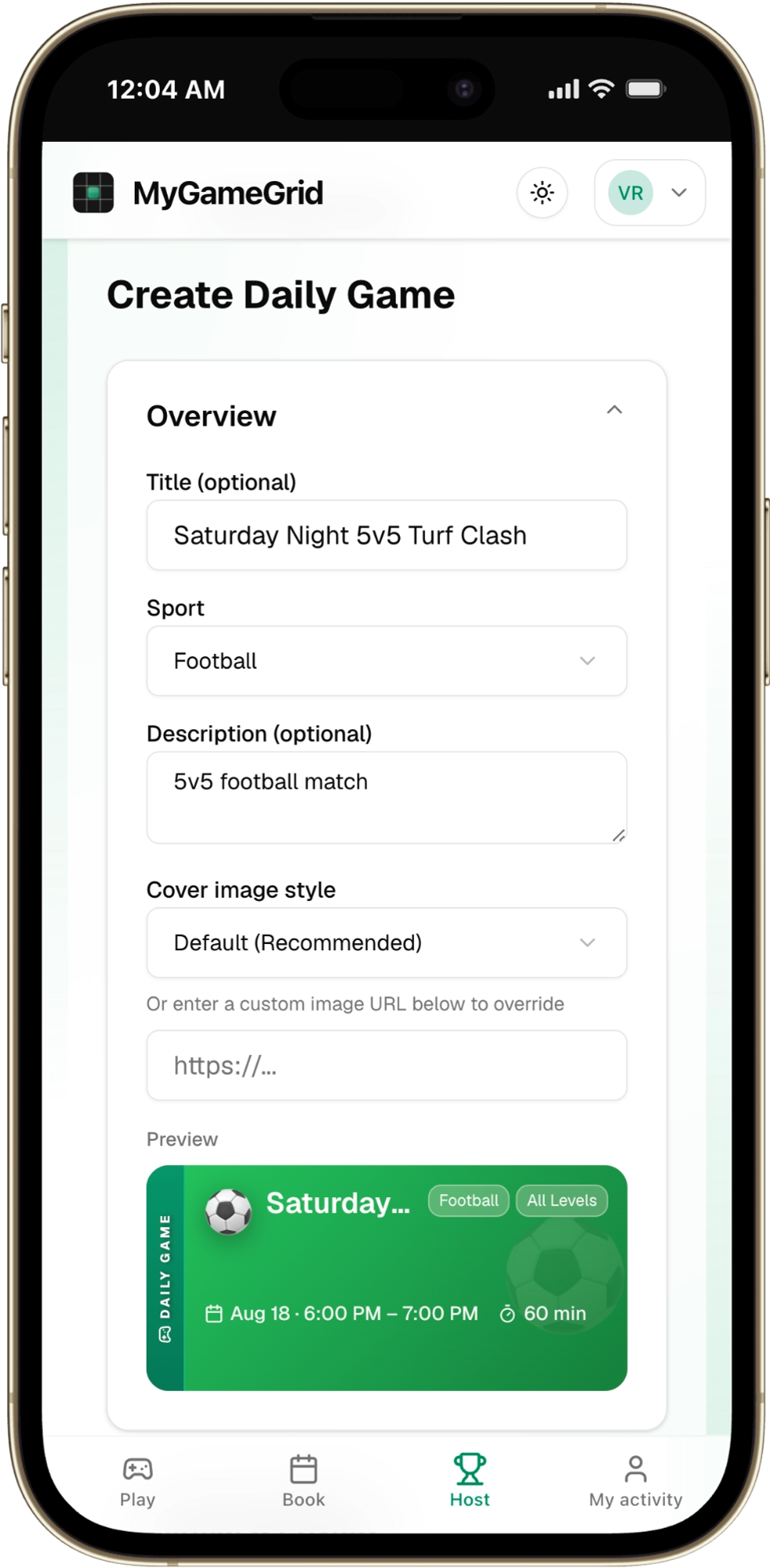
Match Overview Creation Form
Head over to your Host Dashboard and tap Create Game. Pick your sport (Football, Cricket, Badminton, Tennis), enter your match title, and select your local venue.
Key Match Setup Settings:
- Sport Selection: Football, Box Cricket, Badminton, Pickleball, Tennis, and more.
- Venue & Timing: Select your booked facility, start time, and duration (60m, 90m, or 120m).
- Match Level: Open to all or targeted to specific skill tiers (Beginner, Intermediate, Advanced).
Venue Tip: Need to reserve a turf or court first? Explore and book verified local sports arenas through MyGameGrid Venues.
2. Configuring Formats & Squad Limits
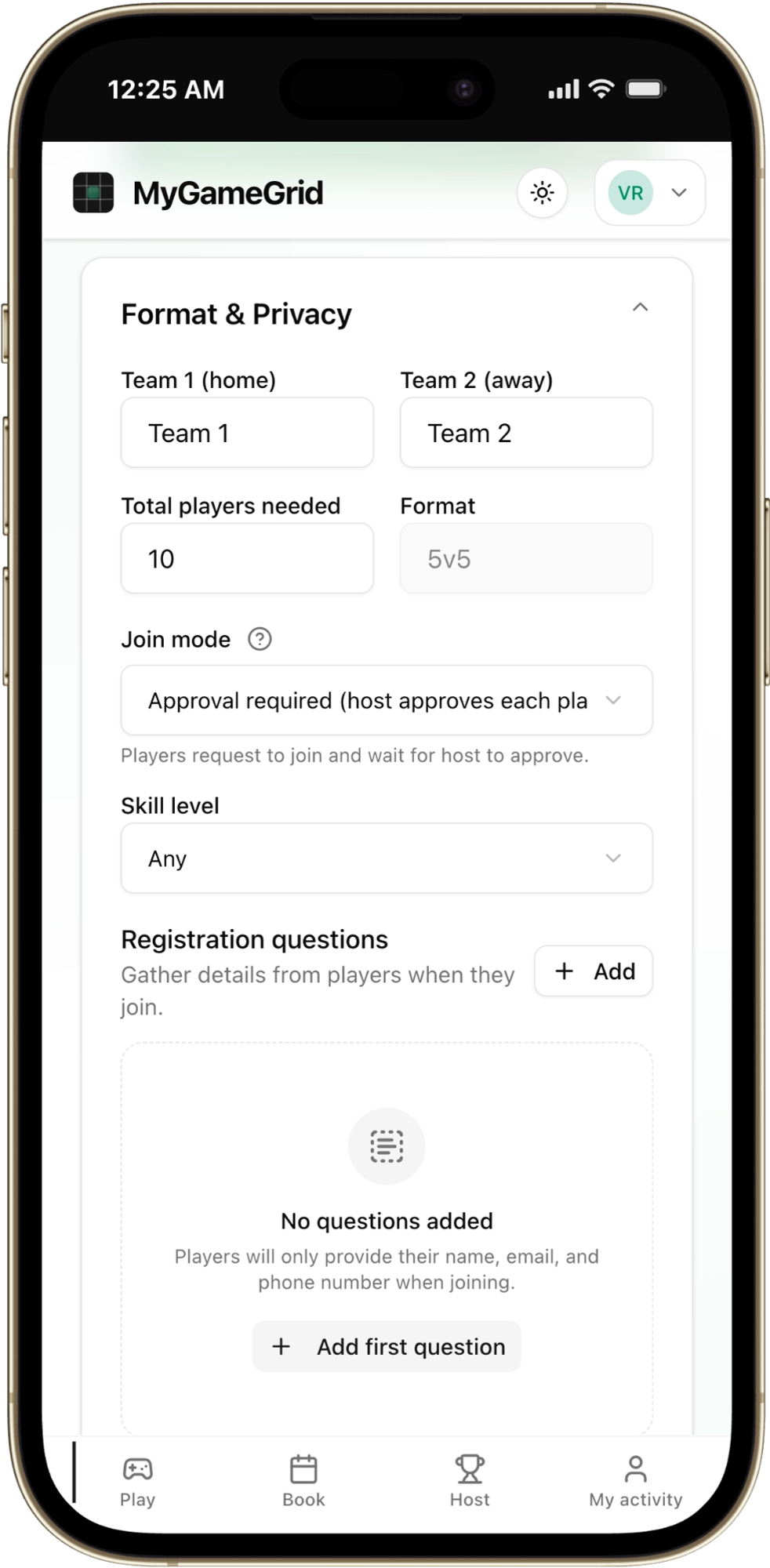
Configuring Squad Limits and Approval Mode
Clear roster rules upfront prevent awkward sideline disputes on matchday.
- Set Strict Player Capacities: For a 5v5 football game, cap the roster at 10 confirmed spots with a 3-person reserve queue. If someone drops out before kickoff, the next reserve is notified automatically.
- Approval-Required Mode for Paid Games: Protect organizers by confirming player RSVPs before granting matchday access, so you're never stuck covering an unpaid venue bill.
- Transparent Match Fees: Set clear per-player pricing (e.g., ₹250/player) calculated automatically from total court rental costs.
3. Sharing Your Public Game Lobby
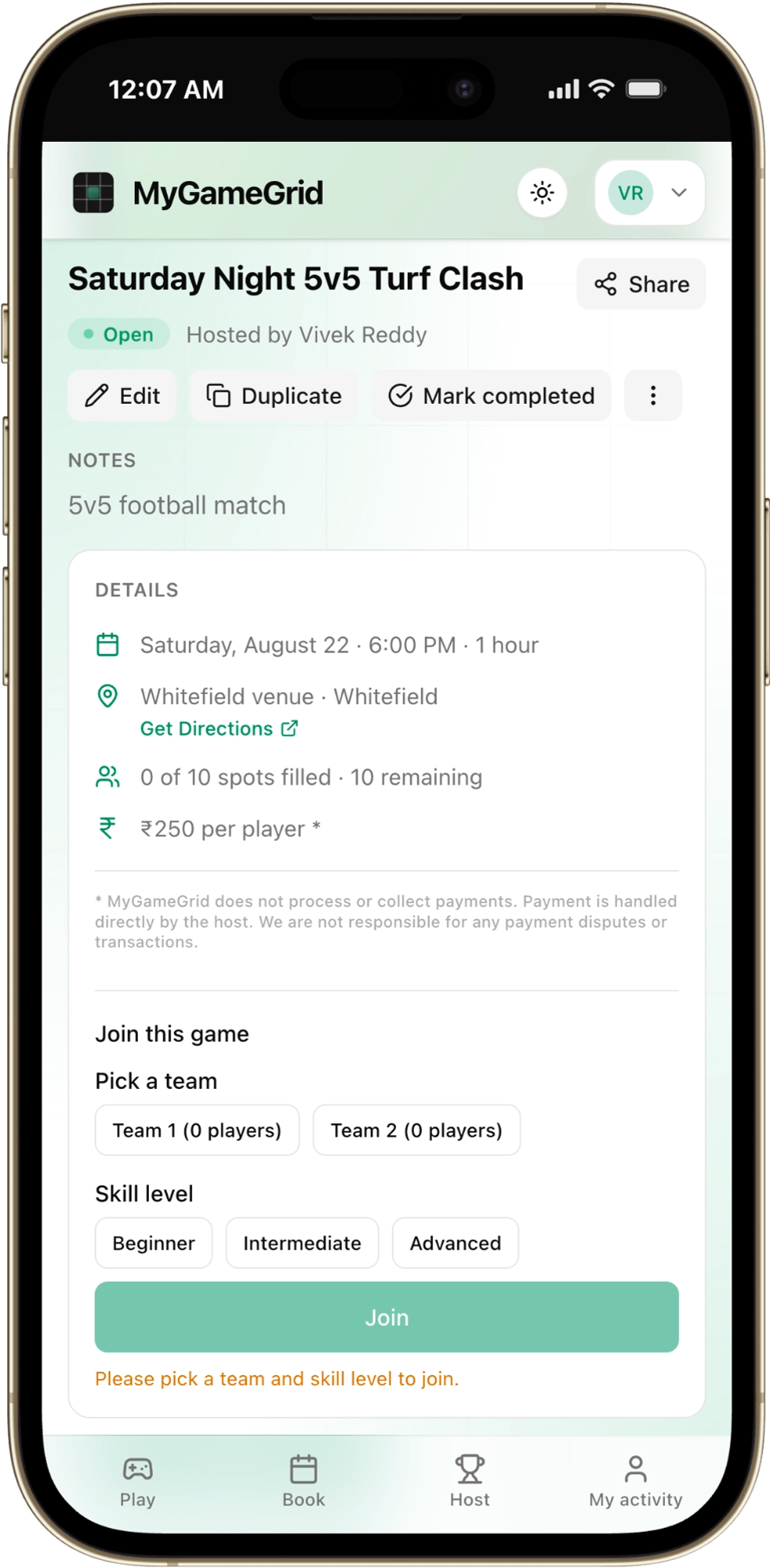
Public Game Lobby and Player RSVP
Once published, share your instant match invite link to your WhatsApp community, office group, or sports squad.
Players can view venue directions, match rules, confirmed player rosters, and reserve their spot with one tap.
4. Host Command Center & Co-Host Delegation
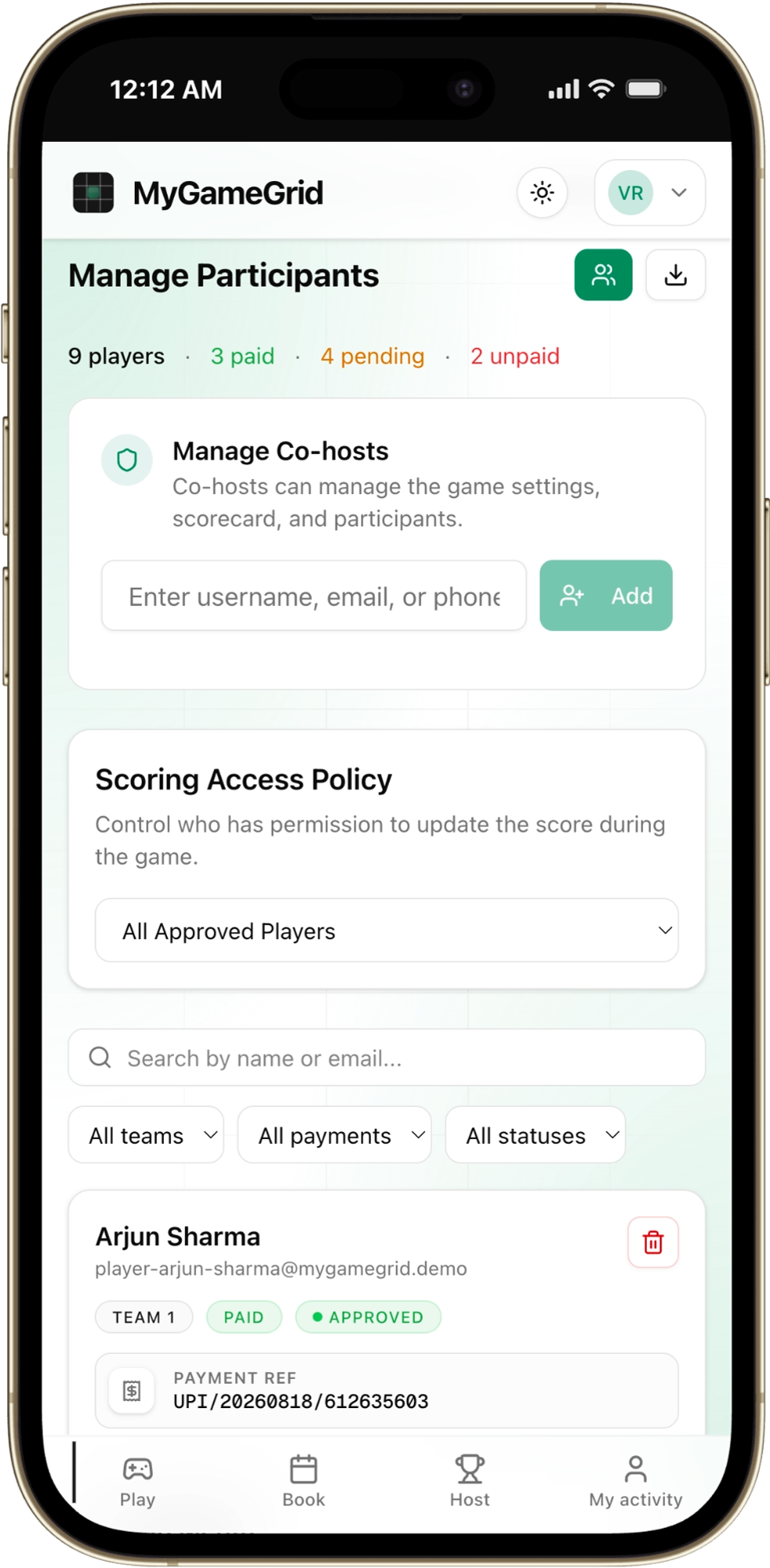
Host Command Center and Permissions
Running a large match or tournament? You don't have to do it alone.
- Assign Co-Hosts: Grant trusted squad members permission to check in players, edit rosters, and update scores.
- Direct Messaging & Announcements: Send matchday reminders, pitch gate numbers, and kit color instructions directly to confirmed players.
5. Zero Payment Chasing with In-App UPI Verification
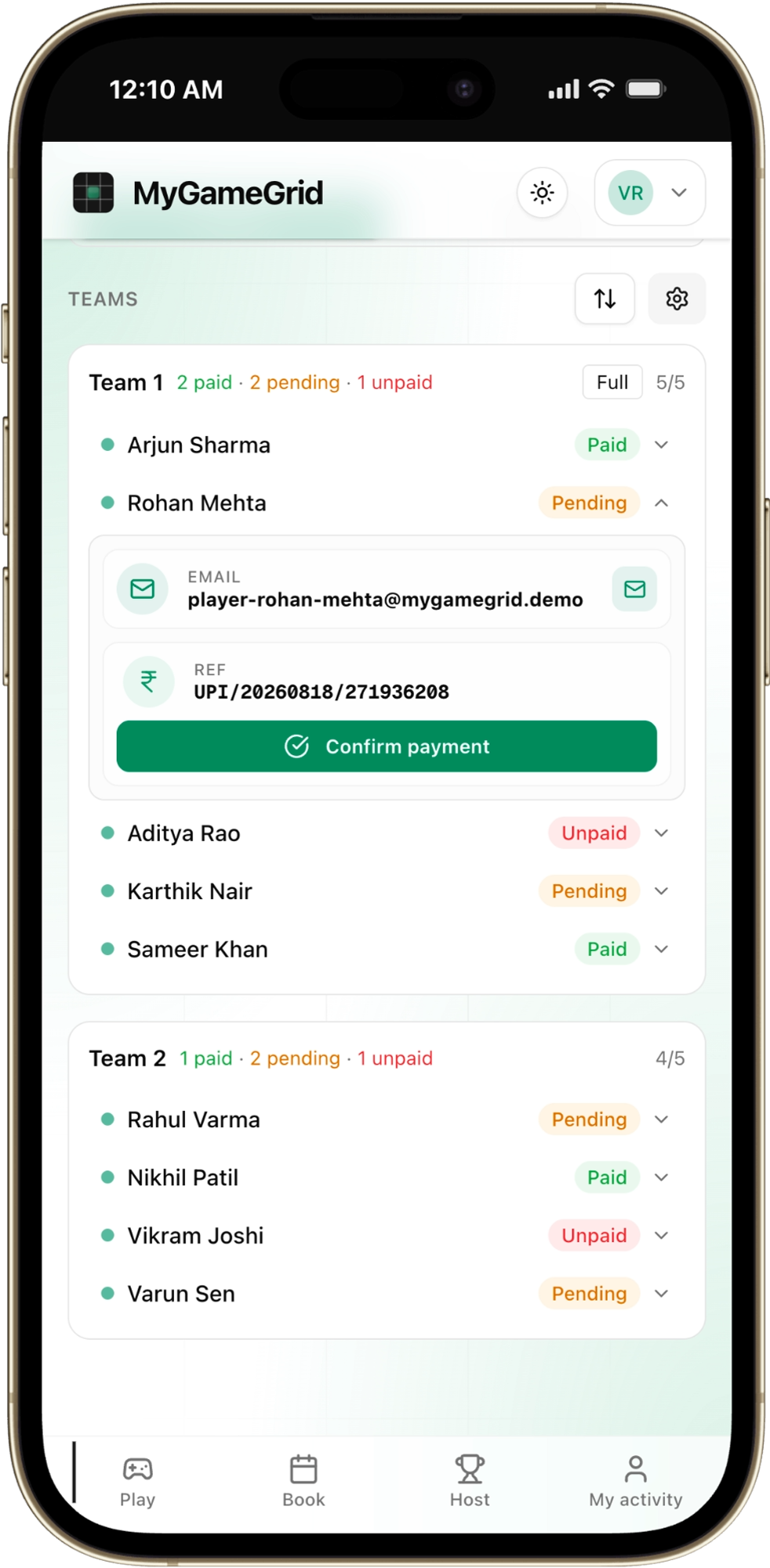
In-App UPI Payment Verification Ledger
Chasing friends for match fees after playing is the number one reason hosts burn out.
- Dynamic In-App UPI QR Codes: Players scan and pay directly using Google Pay, PhonePe, or Paytm.
- Reference ID Matching: Players submit their 12-digit UPI reference ID in-app.
- 1-Click Host Verification: Verify transactions in real-time on your host ledger. Confirmed payers are marked green instantly so you can focus on warming up rather than checking bank statements.
6. Smart 1-Click Team Balancer (No More 10-0 Blowouts)
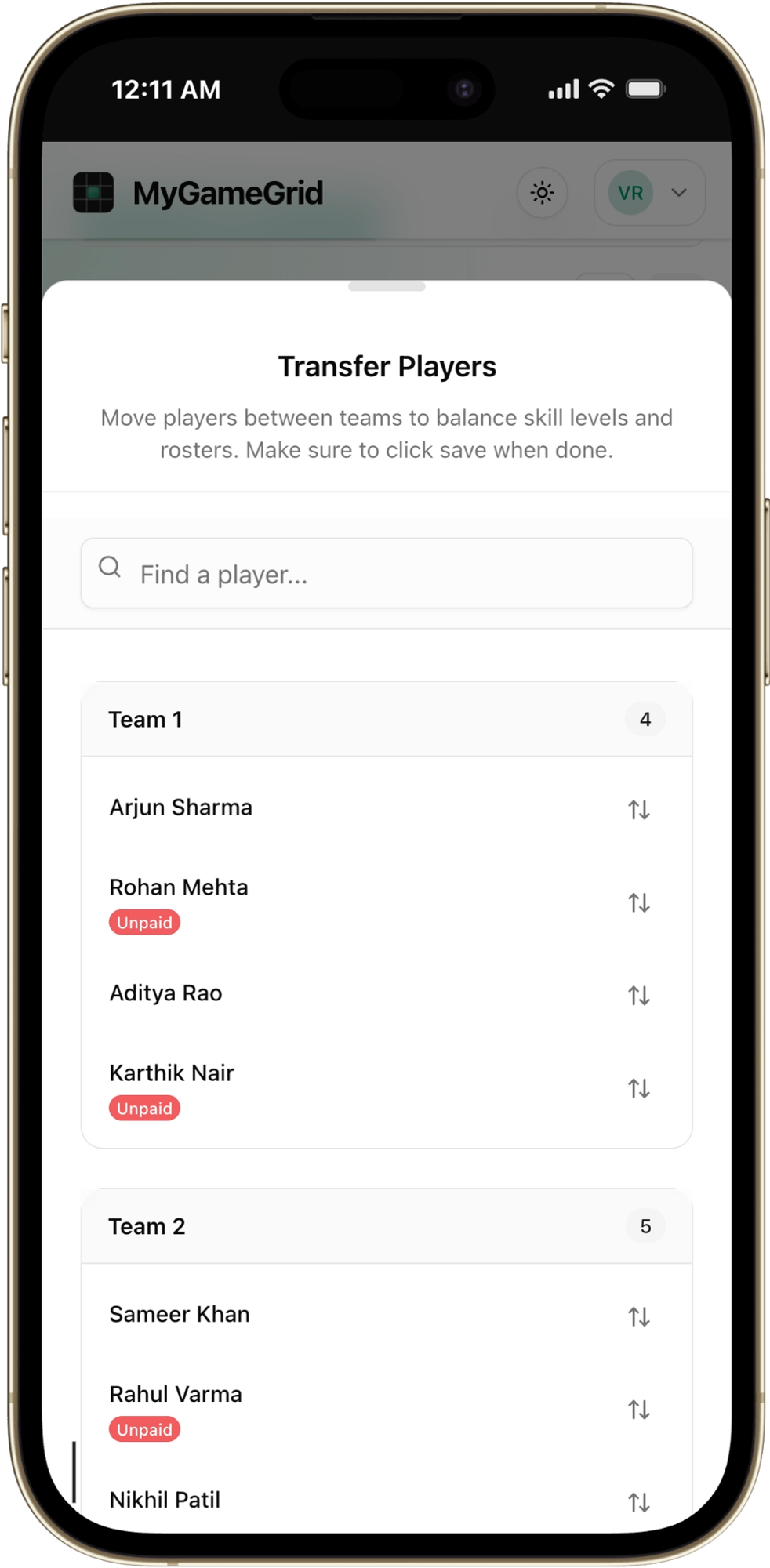
Smart Team Balancer and Roster Transfer Modal
Nothing ruins a pickup match faster than one team having three college-level strikers while the other side has no defense.
- Skill-Weighted Balancing: The built-in team balancer distributes players evenly based on skill ratings and past match history.
- 1-Click Roster Swaps: Fast-swap players between Team Neon and Team Obsidian in seconds if someone wants to play alongside a colleague.
7. Pitch-Side Live Scorecard & Match Stats
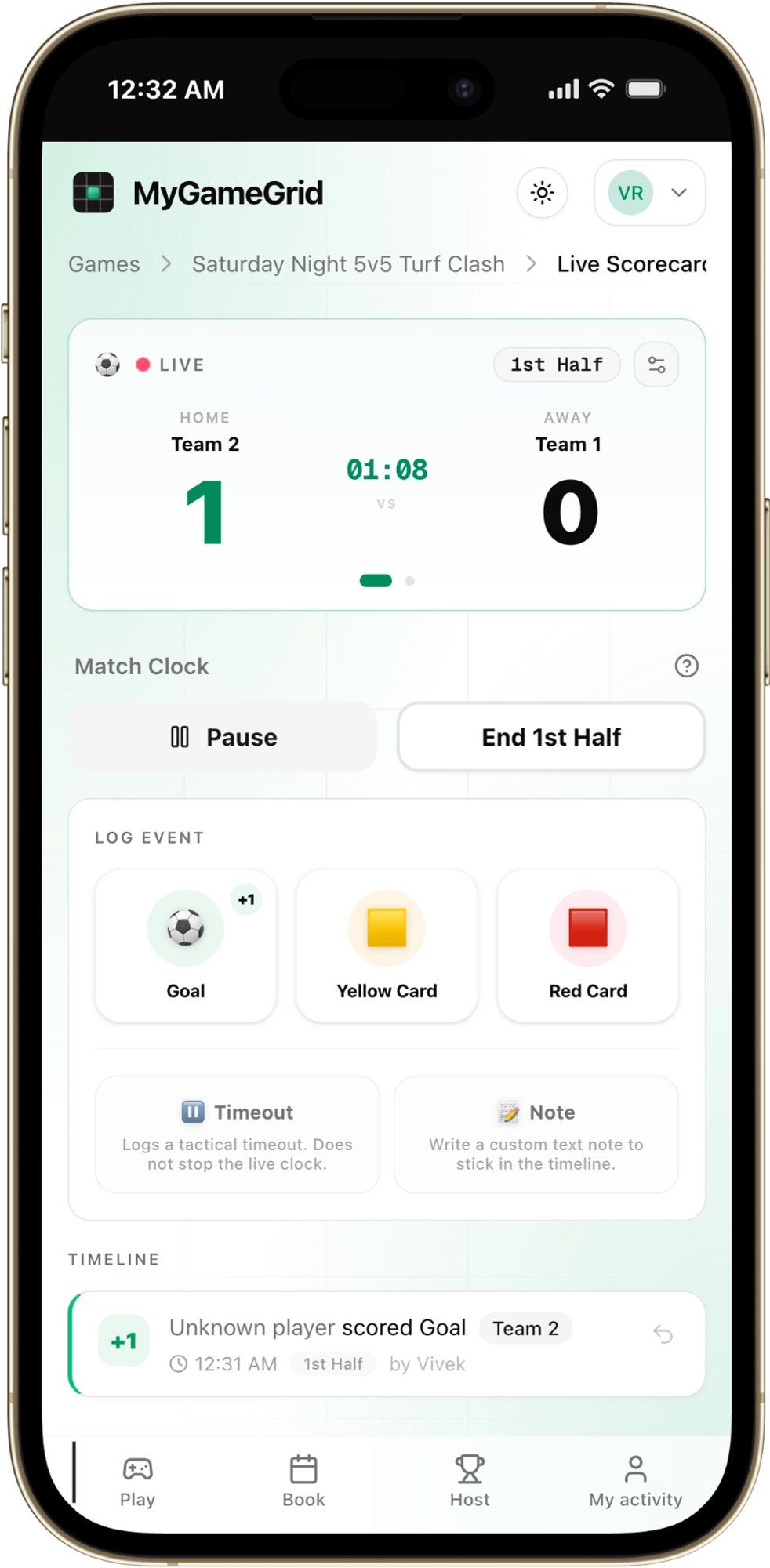
Live Pitch-Side Digital Scorecard
Keep everyone engaged during and after full-time with a live digital scorecard:
- Record live goalscorers, points, fouls, and period timestamps pitch-side.
- Share instant match recaps and final scores to your WhatsApp group with one click.
- Build persistent player profiles, tournament leaderboards, and MVP stats over the season.
Getting Started
Setting up an open match takes less than a minute. You can create your game directly on the Host Dashboard, explore and reserve local sports courts on Venues, browse upcoming community games on Play, or download tournament identity kits on Brand Guidelines.
Ready to Host Your Next Match?
Set up open games in 60 seconds, balance squads automatically, and collect UPI fees with zero hassle.
More from GameFeed
Guides and stories to level up your game.

How to Join a Pickup Football Game in Bangalore (Without Knowing Anyone)
Want to play football in Bangalore but do not have a team? Here is exactly how to find and join pickup football games near you — no squad needed, no experience required.

Organise a Pickleball Tournament in India
Format, court maths, entry fees and UPI collection: a step-by-step plan for running your first pickleball doubles tournament in India.

How to Join a Football Tournament in Bengaluru
Football tournaments in Bengaluru run most weekends. Here is where to find them, what 5v5 and 6v6 entry fees look like, and how to register your team.